Explore needs
One card at a time.
Discovery in the Swipe a Need app is simple and unhurried. Here is what you’ll see on each request, and how to find the ones that move you.
Swipe a Need is not open to the public yet. The app isn’t in the app stores, no requests are live, and payments and payouts are not enabled. This page describes how the service is designed to work. Where a safeguard depends on a provider or approval we don’t have yet, we say so.
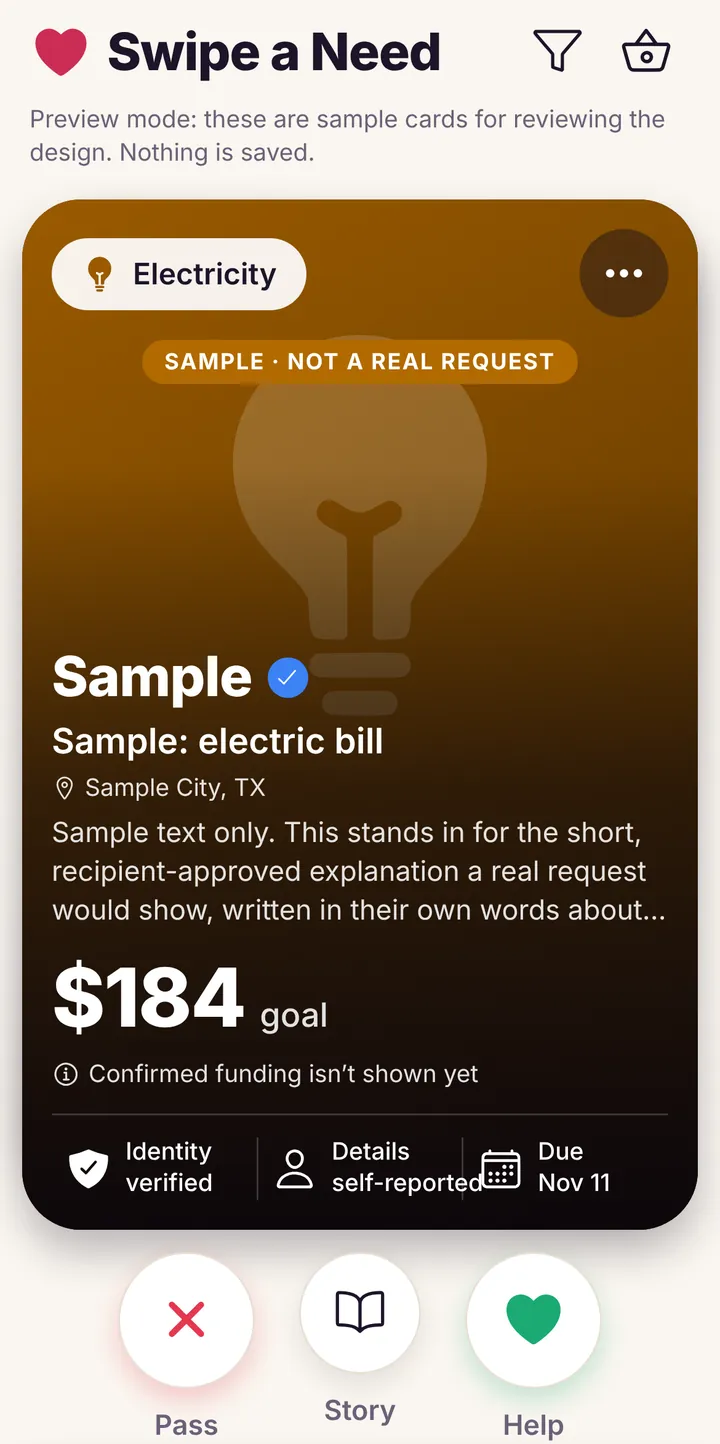
What a request card shows
- The kind of need, such as electricity, rent, medical or groceries.
- A short title and story in the recipient’s own words.
- The recipient’s first name and, if they choose, their city and region. Nothing more.
- The goal and the due date.
- What has and hasn’t been checked, shown as plain labels, for example whether a document was reviewed or whether the details are self-reported.
Three actions
Pass skips a request. Story opens the full story. Help saves it to your Giving Basket. None of them charges you.
Browse by kind of need
The app lets you filter by category, so you can look at one kind of need at a time.
Housing
Rent and other housing costs.
Utilities
Electricity, water, gas, internet and phone.
Groceries
Everyday food and household basics.
Medical
Medical and health costs.
Childcare
Childcare and baby supplies.
Transportation
Getting to work, school and appointments, including fuel.
Two kinds of requests, labelled honestly
Documented bills
A request that comes with a supporting document, such as a bill statement. A document that has been provided is not the same as a document our team has reviewed, and the card says which.
Self-reported everyday needs
Described in the recipient’s own words and not independently verified. This kind of request is planned and isn’t switched on yet: for now, every request needs a supporting document.
Identity verification confirms who someone is. It never proves that a need is genuine. What we check, and what we don’t →
Explore in the app
Browsing happens in the Swipe a Need app. You can explore without an account; saving a request needs a free one. This website takes no payments.
The App Store listing will appear here once the first release is approved.